Five Keys, One Knob, and the Key That Hides Everything
You want volume, mute and a couple of shortcuts within reach, and you do not want to give up a third of your desk to get them.
Where the time actually goes
Most macropads are sized for the enthusiast who wants every key. That size is why they end up in a drawer: a peripheral has to earn its footprint every day, and a large pad you use five keys of does not.
How the EM Mini Pad changes it
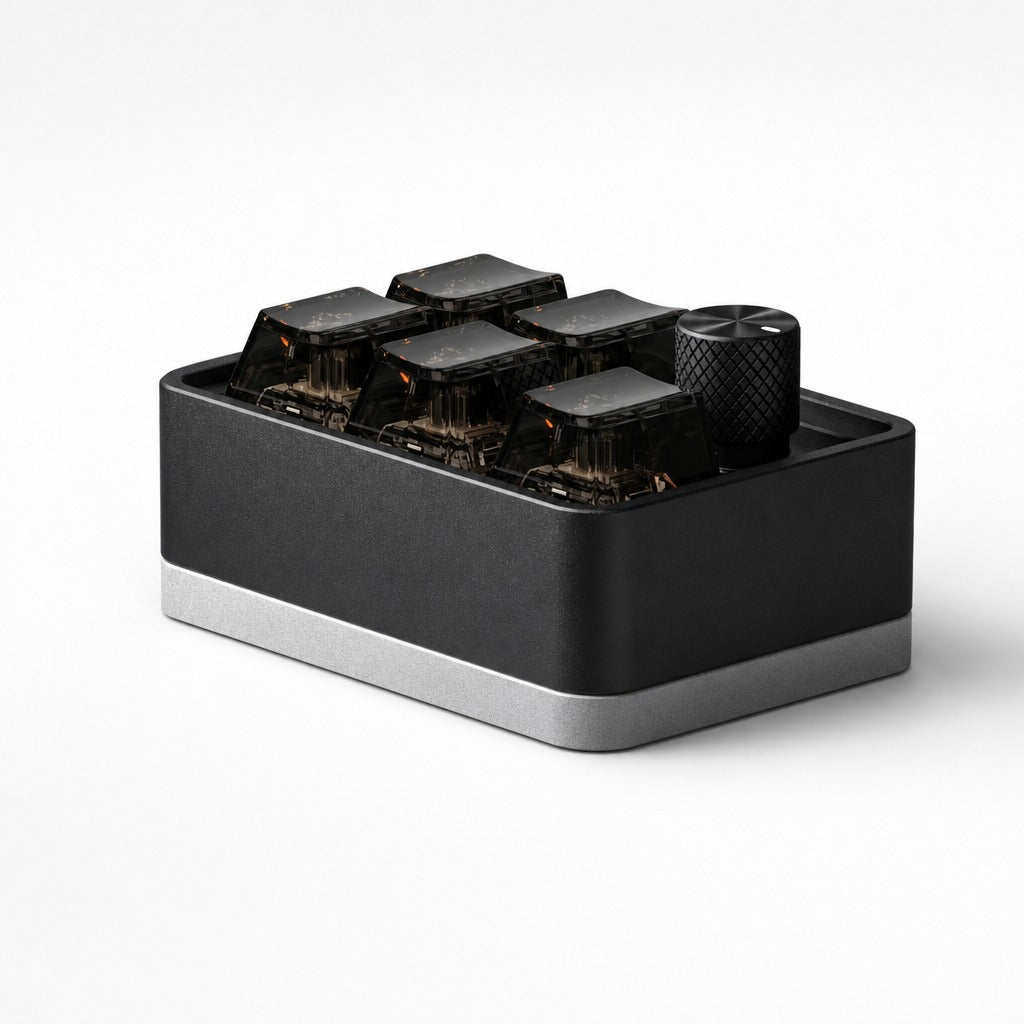
The EM Mini Pad is deliberately small and deliberately heavy, a machined aluminium block on a silver plinth with six smoked keycaps and one knurled knob. Dual mode means it runs wired over USB-C or wireless over Bluetooth on its own cell, so it can sit somewhere a cable would not reach.
Where it sits in a real workflow
It lives between the keyboard and the mug, permanently. The knob is volume, which is the control you reach for most and the one least suited to a key. Four keys take your most repeated shortcuts. The sixth is the boss key, one press hides everything on screen, and it is the one people are sheepish about and use most. Because the caps are smoked you can see the switches actuate, which is decorative rather than functional and is honestly part of why it stays on the desk.
Doing the arithmetic yourself
The relevant number is not keys per dollar, it is keys you press per square centimetre of desk. On that measure a small pad you use all five keys of beats a large one you use eight of.
Who gains most from the EM Mini Pad?
People with a small desk and a short list of shortcuts. If your list is long, the KM16 has sixteen keys and three knobs and is the better tool.
The first twenty minutes
Charge it, pair it or plug it in, and decide early which key is the boss key so your hand learns one position.
Related
EM Mini Pad, $85, full specification, frequently asked questions and what to know before buying. Or read about the KM16 Macropad, which solves a neighbouring problem.
futuredevice sells AI hardware for everyday life. Type less. Ship more.