


futuredevice
EM Mini Pad
EM Mini Pad
Check the connection and configuration requirements below. Key remapping and operating-system support depend on the individual product. Contact us with your setup if you are unsure.
Check my setupShipping (USD): US Standard $15 below the free-shipping threshold; free on US orders over $70 after discounts. International tracked shipping $10 to supported destinations. Shipping details. Your address-specific total is shown at checkout before payment.
Tracked shipping · 30-day returns · Delivery estimates in our shipping policy
Most macropads assume you have space. You have a mug, a notebook and a laptop. This fits in the gap.
What is the EM Mini Pad?
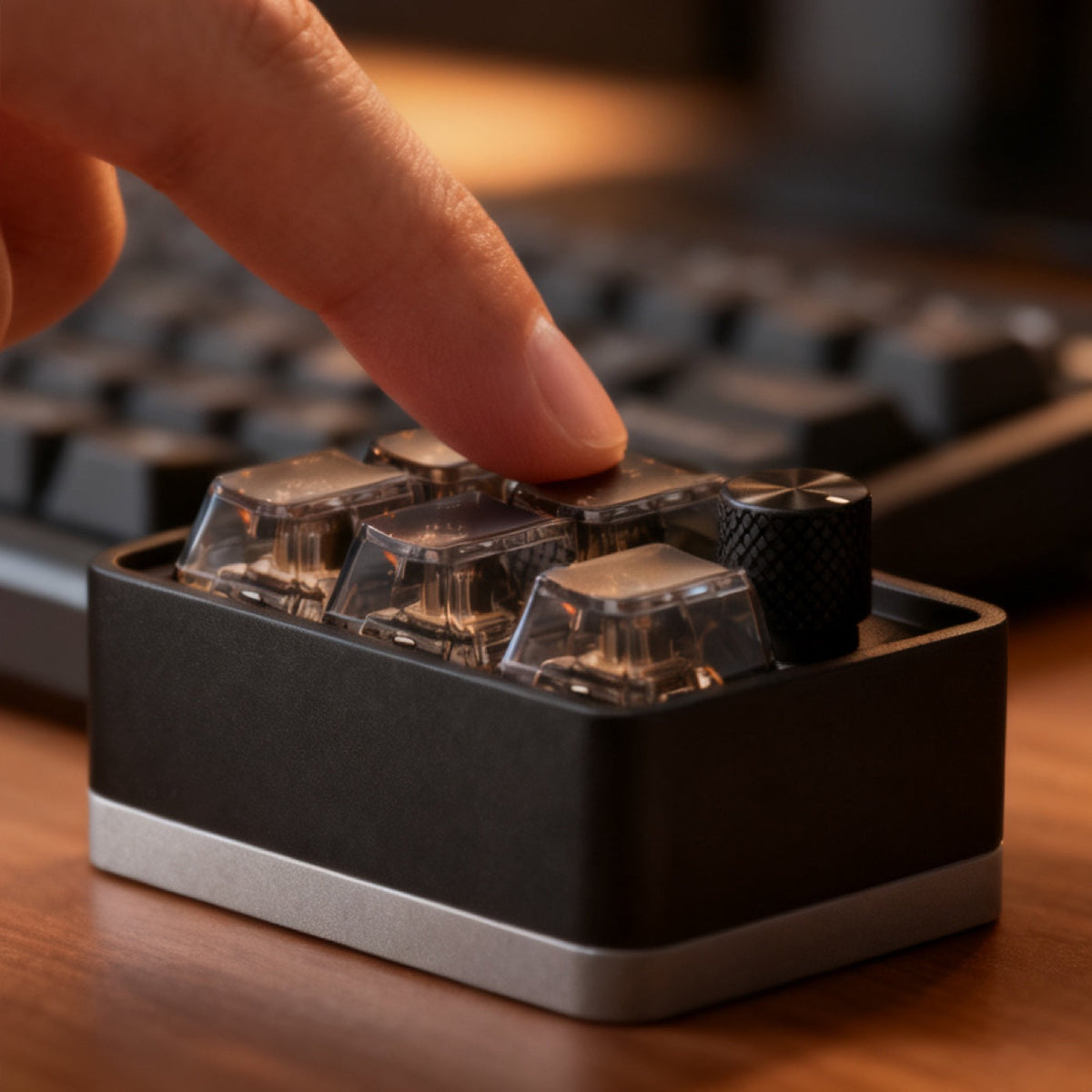
A very small, very heavy anodised aluminium block on a brushed silver plinth. Five smoked transparent keycaps sit recessed into the top in a three-by-two grid, with the switch mechanism visible working under each one, and a knurled knob filling the sixth position. This is the third-generation Pro revision.
What is the EM Mini Pad for?
It is built to sit to the left of your keyboard, where the hand that is not on the mouse already rests, so a shortcut is a thumb press away instead of a reach across the board. Five keys cover the things you repeat all day, and the knurled knob is the part most people end up using: turn it to scroll a long agent output, or map it to step between agent sessions so you can move from one to the next without reaching for the mouse. It claims almost no desk space, which is why it stays on the desk rather than in a drawer.
How do you use the EM Mini Pad?
- Connect over USB-C, or unplug and pair over Bluetooth.
- Twist the knurled knob for volume or scroll.
- Assign the five keys to your most repeated shortcuts.
- Keep one key as a boss key that hides everything at once.
EM Mini Pad specifications
| Keys | 5, in a 3x2 grid, smoked transparent caps over visible switches |
|---|---|
| Rotary encoder | 1 knurled knob |
| Connection | USB-C wired and Bluetooth, dual mode |
| Battery | 1000 mAh lithium cell, per the supplier's listing |
| Body | Sandblasted anodised aluminium with a silver base band |
| Revision | Third-generation Pro |
| SKU | FD-08 |
How does the EM Mini Pad compare?
Against the KM16 Macropad, the EM Mini Pad gives up ten keys and two knobs and gains Bluetooth and a much smaller footprint. Buy the EM Mini Pad for volume, mute and a boss key within arm's reach; buy the KM16 if you need a real macro layer.
Frequently asked questions
How many keys does the EM Mini Pad have?
Five, in a three-by-two grid, with a knurled rotary knob filling the sixth position.
Does the EM Mini Pad work wirelessly?
Yes. It is dual mode, so run it wired over USB-C or unplug it and pair over Bluetooth. The supplier's listing gives a 1000 mAh lithium cell in the base.
Why are the keycaps transparent?
They are smoked polycarbonate, so you can see the mechanical switch actuating underneath. It is decorative rather than functional, and it is the reason people photograph this one.
What is a boss key?
A single key mapped to minimise or hide everything on screen at once. This pad is sold partly for exactly that purpose.
What to know before buying
It has a lithium cell in it, and that restricts air freight, so it travels on a slower service than the wired pads.
Dispatch in 1–2 business days. US transit normally 7–12 days; international transit estimated at 7–14 business days. You get the tracking link the minute it exists. Free US shipping over $70 after discounts; $15 US Standard below the threshold. International tracked shipping is $10. Thirty-day returns.


Field notes on this object
What it changes on a real desk, what it does not, and who should buy something else.