


futuredevice
KM16 Macropad
KM16 Macropad
Check the connection and configuration requirements below. Key remapping and operating-system support depend on the individual product. Contact us with your setup if you are unsure.
Check my setupShipping (USD): US Standard $15 below the free-shipping threshold; free on US orders over $70 after discounts. International tracked shipping $10 to supported destinations. Shipping details. Your address-specific total is shown at checkout before payment.
Tracked shipping · 30-day returns · Delivery estimates in our shipping policy
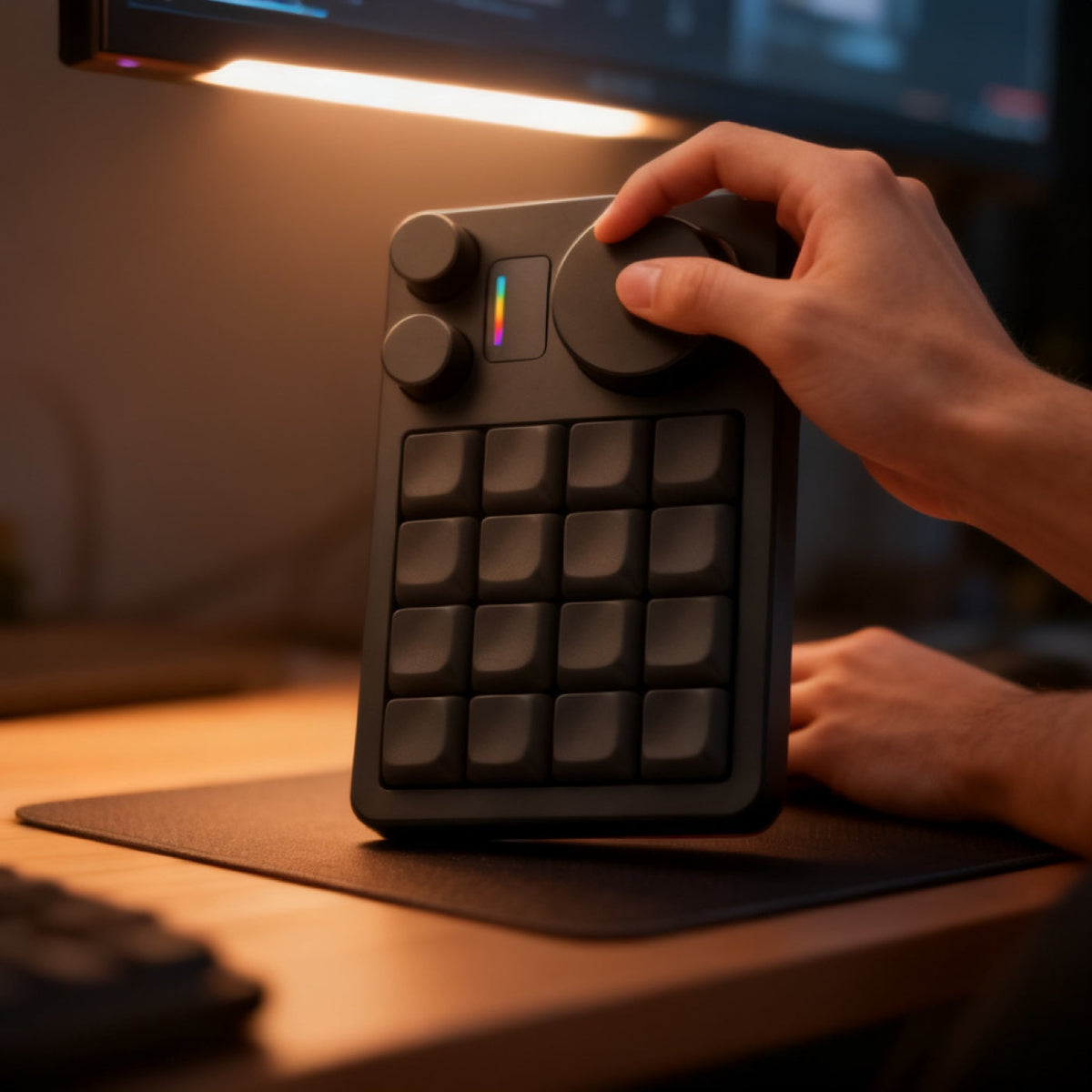
Turn the knob to scroll a long agent output. Press a key to accept it. Your right hand never leaves the mouse.
What is the KM16 Macropad?
A dense block of anodised aluminium holding sixteen keycaps in a four-by-four grid, with one large knob and two small ones along the top edge, an RGB strip badge, and RGB underglow that spills onto the desk. It is noticeably heavy for its size, which is the point, it does not move when you hit it.
What is the KM16 Macropad for?
Giving the hand that is not on the mouse a real job. Sixteen keys covers test, commit, accept, reject, switch model and pane navigation with room to spare, and the three knobs handle the continuous controls: volume, brush size, timeline scrub, scroll.
How do you use the KM16 Macropad?
- Plug the KM16 in over USB.
- Open a VIA-compatible remapper in your browser, nothing is installed or compiled.
- Click a key on screen and assign it. Repeat for the sixteen keys and three encoders.
- Add a second layer, held under a key, so the pad means something different per application.
KM16 Macropad specifications
| Keys | 16, in a 4x4 grid |
|---|---|
| Rotary encoders | 3: one large, two small |
| Remapping | VIA, in-browser, layers supported |
| Firmware flashing | Not required |
| Body | CNC anodised aluminium |
| Lighting | RGB underglow plus RGB strip badge |
| SKU | FD-05 |
How does the KM16 Macropad compare?
The KM16 Macropad and the EM Mini Pad sit at opposite ends. The KM16 has sixteen keys, three knobs and VIA remapping, and is the one to buy if you want a genuine macro layer. The EM Mini Pad has five keys and one knob, runs on Bluetooth, and is the one to buy if you want volume, mute and a boss key in almost no desk space.
Frequently asked questions
How many keys does the KM16 Macropad have?
Sixteen, laid out four by four, plus three rotary encoders: one large knob and two small ones along the top edge.
Do I need to flash firmware to remap the KM16?
No. It is VIA-compatible, so you remap it by clicking keys in a browser interface. Nothing is compiled and no firmware is flashed.
Can the same key do different things in different apps?
Yes. VIA supports layers, so a held key switches the whole pad to a second set of assignments. One layer for your editor, another for design work.
Is the KM16 only for designers?
It is marketed to designers and its stock layout reflects that, but the layer logic that suits Photoshop suits agent macros equally well. Budget twenty minutes to set up your own layer.
What to know before buying
It arrives with a designer-oriented stock layout, so plan on spending twenty minutes in VIA before it fits your workflow.
Dispatch in 1–2 business days. US transit normally 7–12 days; international transit estimated at 7–14 business days. You get the tracking link the minute it exists. Free US shipping over $70 after discounts; $15 US Standard below the threshold. International tracked shipping is $10. Thirty-day returns.


Field notes on this object
What it changes on a real desk, what it does not, and who should buy something else.