One Keyboard, Three Machines, No Repairing
You have a laptop, a desktop and a tablet, and one keyboard you like.
Where the time actually goes
Working across machines usually means either a keyboard per machine or a repairing ritual every time you switch. Both are friction in exactly the moment you were trying to move quickly.
How the Retro Board changes it
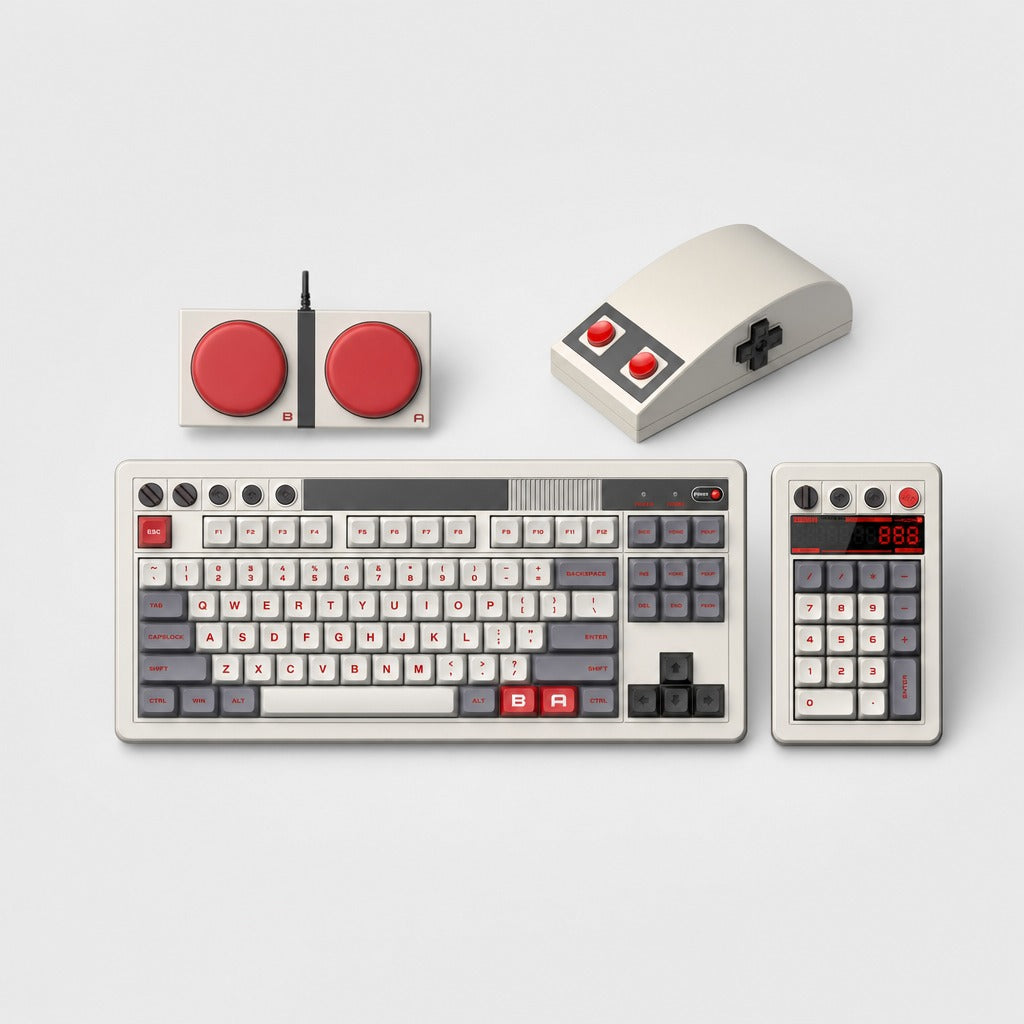
The Retro Board connects three ways, Bluetooth, a 2.4 GHz dongle, or wired USB-C, and holds three paired devices, switched with a key combination. Hot-swappable sockets mean you can change the switches by pulling them out with the supplied puller, no soldering, so the feel is a choice rather than a purchase.
Where it sits in a real workflow
Pair the laptop, the desktop and the tablet once. Then switching machine is a chord, not a ritual: same layout, same muscle memory, same feel, wherever the work is. The tenkeyless layout keeps the mouse close, and the numpad ships separately so you can put it on whichever side you actually use, which for left-handed mouse users is the whole reason to buy a board with a detached pad.
Doing the arithmetic yourself
Count the times a week you move between machines and multiply by the seconds a repairing costs plus the mistakes it causes. It is not a large number, but it is friction in a moment where friction is expensive.
Who gains most from the Retro Board?
People working across several machines who care how a keyboard feels. It is also the halo object of this catalogue, and we are not going to pretend that is not part of the appeal.
The first twenty minutes
Pair the three devices, then change the switches if you want to.
Related
Retro Board, $149, full specification, frequently asked questions and what to know before buying. Or look at the KM16 Macropad, which solves a neighbouring problem.
futuredevice sells AI hardware for everyday life. Type less. Ship more.