


futuredevice
Retro Board
Retro Board
Check the connection and configuration requirements below. Key remapping and operating-system support depend on the individual product. Contact us with your setup if you are unsure.
Check my setupShipping (USD): US Standard $15 below the free-shipping threshold; free on US orders over $70 after discounts. International tracked shipping $10 to supported destinations. Shipping details. Your address-specific total is shown at checkout before payment.
Tracked shipping · 30-day returns · Delivery estimates in our shipping policy
The agent writes the code. You should at least enjoy the keys you use to argue with it.
What is the Retro Board?
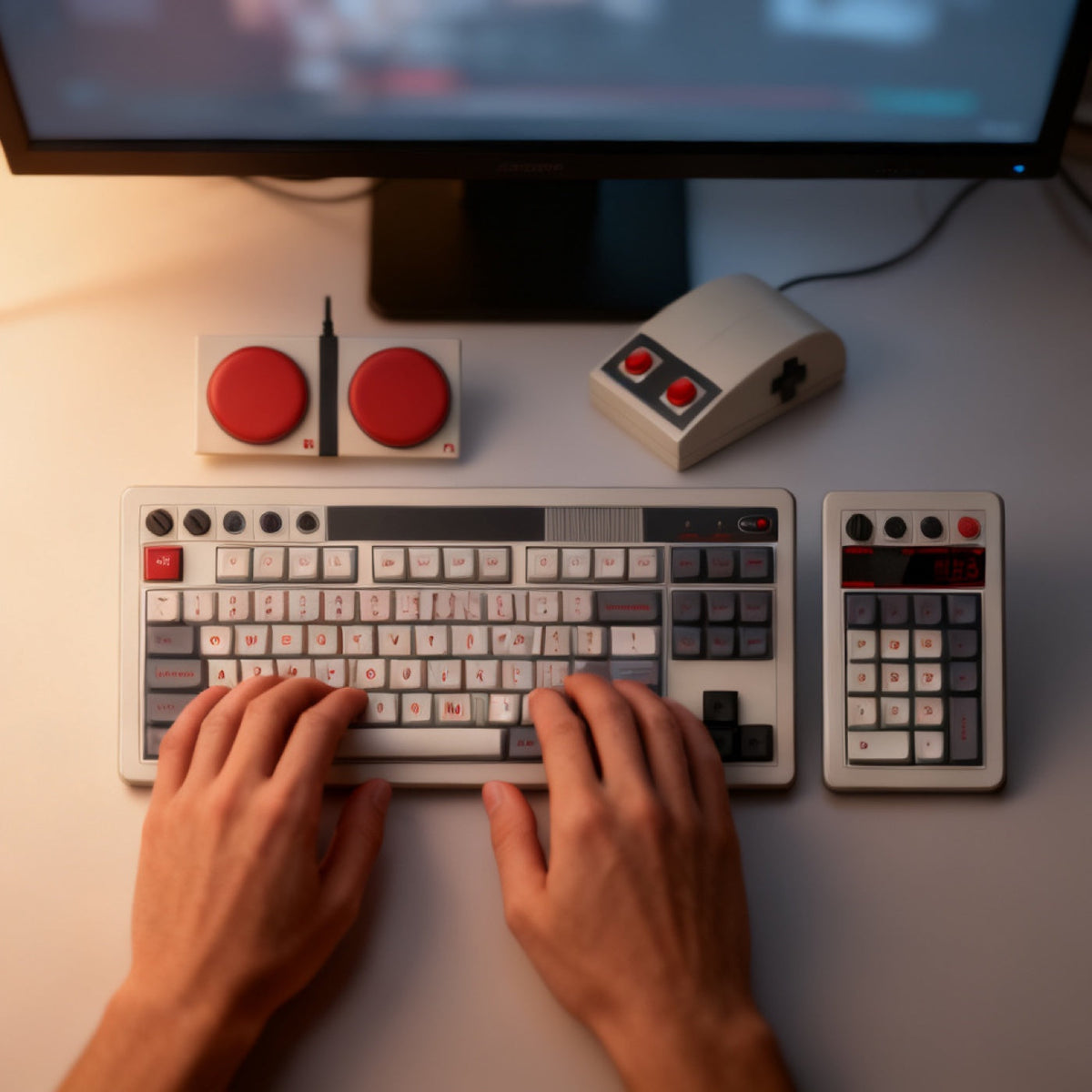
A cream-and-grey mechanical keyboard in eighties console livery: 87 keys, tenkeyless, with dark grey and red accent keycaps. It ships with a wedge-shaped mouse. A matching numeric keypad appears in the supplier's photographs but not in its bundle description, so ask us to confirm before you order if you need one.
What is the Retro Board for?
Two reasons. It is the halo product, the most expensive thing here and the piece someone screenshots. And tri-mode with hot-swap sockets makes it a genuinely practical daily driver rather than an ornament.
How do you use the Retro Board?
- Connect over Bluetooth, the 2.4 GHz dongle, or USB-C.
- Pair up to three devices and switch between them with a key combination.
- Change the feel by pulling keycaps and switches out with the supplied puller, no soldering.
- If your shipment includes the numeric keypad, put it on whichever side you prefer.
Retro Board specifications
| Layout | 87 keys, tenkeyless |
|---|---|
| Switches | Hot-swappable, no soldering |
| Connection | Tri-mode, Bluetooth, 2.4 GHz, USB-C |
| Paired devices | Up to 3, switched by key combination |
| In the box | Keyboard and mouse. Ask about the numeric keypad before ordering |
| Keycaps | Cream, grey and red retro set |
| SKU | FD-16 |
How does the Retro Board compare?
The Retro Board is the only full keyboard in this catalogue; everything else supplements a keyboard you already own. If you want the retro look without replacing your daily board, the Slam Buttons share its visual language at a tenth of the price.
Frequently asked questions
What does tri-mode mean on the Retro Board?
Three connection methods, Bluetooth, a 2.4 GHz dongle, and wired USB-C, with up to three devices paired and a key combination to switch between them.
Are the switches hot-swappable?
Yes. You can pull keycaps and switches out with the supplied puller and change the feel of the board without soldering.
What comes in the box?
The 87-key keyboard and a wedge-shaped mouse with a four-way pad on it. The numeric keypad is in the supplier's photographs but not in its stated bundle, so we will confirm what the current shipment includes before you pay for one.
Is the Retro Board branded?
It arrives in the maker's own retail livery, not a plain one. There is a wordmark on the top bezel, the bottom row carries red B and A keys, and the mouse has a four-way pad on it. We stock this board, we did not design it, and we do not rebadge it.
What to know before buying
One thing worth knowing: this is a keyboard we stock rather than design, and it is sold elsewhere too, so it is worth a price check before you order. What you get from us is the board and the mouse together rather than the board on its own.
Dispatch in 1–2 business days. US transit normally 7–12 days; international transit estimated at 7–14 business days. You get the tracking link the minute it exists. Free US shipping over $70 after discounts; $15 US Standard below the threshold. International tracked shipping is $10. Thirty-day returns.


Field notes on this object
What it changes on a real desk, what it does not, and who should buy something else.
- One Keyboard, Three Machines, No Repairing
- Typing Prompts Into Cursor on a Retro Keyboard
- Running Codex CLI on a Keyboard Worth Looking At
- Do You Need a Retro Mechanical Keyboard to Run Windsurf?
- Typing Prompts Into Gemini CLI on a Keyboard Worth Looking At
- Claude Code on a Keyboard Built to Be Looked At, Not Just Used