

futuredevice
Pedal Three
Pedal Three
Wired USB pedals that send keyboard shortcuts. You assign the actions in the manufacturer’s utility; your editor or terminal must have focus. Push-to-talk also needs a microphone and dictation software. Check that the configuration utility supports your operating system before ordering.
Check my setupShipping (USD): US Standard $15 below the free-shipping threshold; free on US orders over $70 after discounts. International tracked shipping $10 to supported destinations. Shipping details. Your address-specific total is shown at checkout before payment.
Tracked shipping · 30-day returns · Delivery estimates in our shipping policy
First-run bundle: Pedal Three plus a Pixel Charm. The free-charm offer and SHIPMORE10 do not combine. Shipping and tax are calculated at checkout. Get the two-item starter bundle.
Your hands are the bottleneck now, not the model. Accept, reject and retry are three actions you do hundreds of times a day with the same two fingers.
What is the Pedal Three?
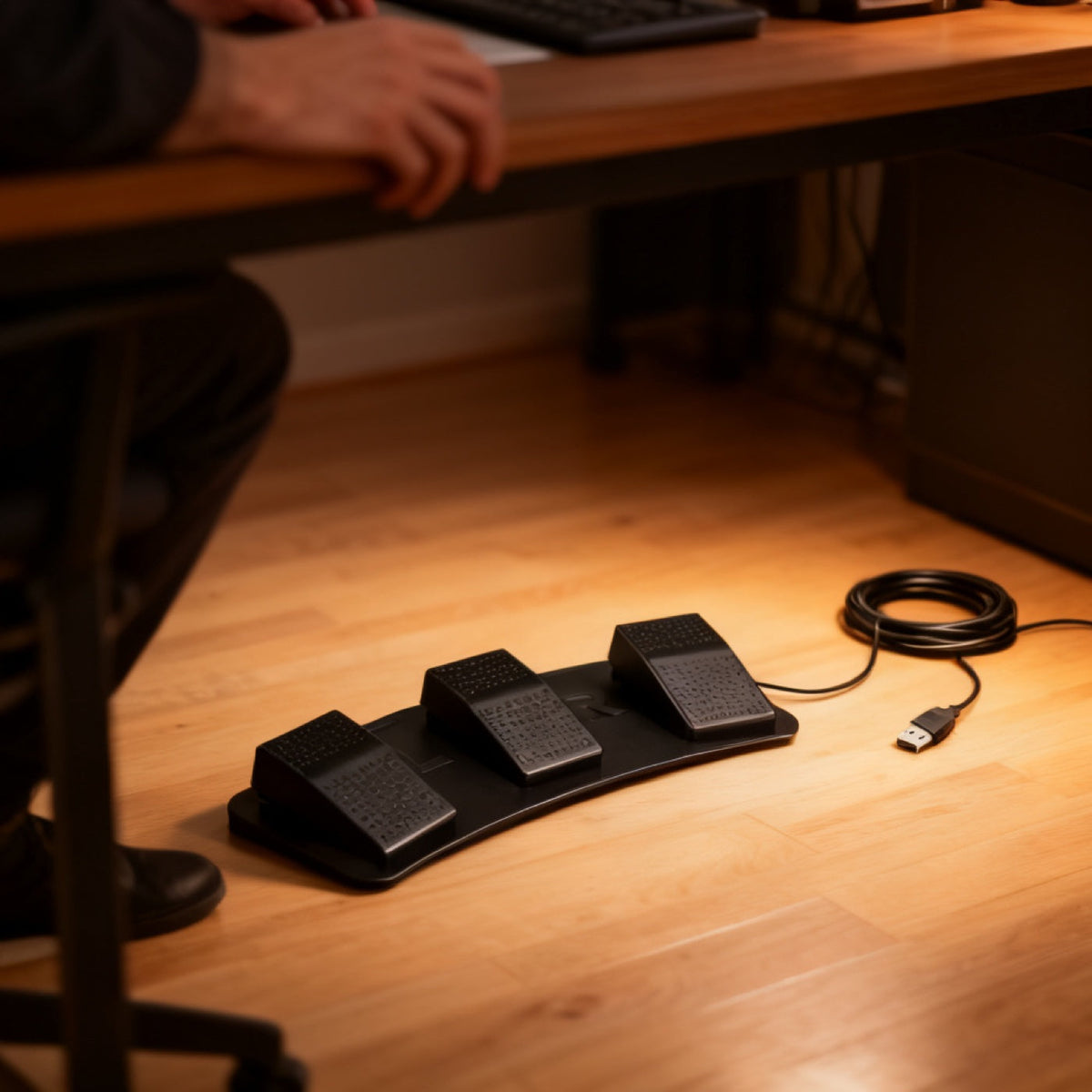
Three ribbed black foot pedals on a single curved steel base with a captive USB cable. It is heavy enough that it does not slide across the floor when you stamp it.
What is the Pedal Three for?
Approving and rejecting are the two actions you repeat hundreds of times a day while reviewing agent output, and both normally mean moving a hand off the home row. Your feet are doing nothing. The usual mapping of accept, reject and hold-to-talk covers almost the entire review loop without a single hand movement.
How do you use the Pedal Three?
- Plug the USB cable in. It enumerates as a keyboard, so no driver is needed.
- Open the manufacturer's utility and assign each pedal a key, a modifier combo, a text string or a mouse click.
- Put it under the desk where your foot rests naturally.
- Review with your feet: accept on the left, reject on the right, hold the centre to talk.
Pedal Three specifications
| Pedals | 3, independently programmable |
|---|---|
| Each pedal can send | A key, a modifier combo, a text string, or a mouse click |
| Connection | USB, wired |
| Power | Bus powered, no battery, no pairing |
| Base | Curved, non-slip |
| SKU | FD-04 |
How does the Pedal Three compare?
Pedal Three versus Pedal Four: three pedals is the right number for the review loop, because accept, reject and push-to-talk is genuinely all most people map. Choose Pedal Four only if you want a fourth action such as run-tests, or if you also stream and need scene, mute and record.
Frequently asked questions
Does Pedal Three need a driver?
No. It enumerates as a standard keyboard, so any operating system accepts it immediately. A driver is only involved if you want to reprogram what the pedals send.
What can I map the pedals to?
Any key, any modifier combination, an entire text string, or a mouse click. Because it sends real keystrokes it works with any terminal, editor, browser or agent interface.
Does Pedal Three work on macOS?
The pedals themselves work on any platform. The configuration utility is Windows-first, so the easiest path is to program it on a PC and then use it anywhere.
Why do the foot pedals cost more than the macropads?
They do not, in this catalogue. Pedal Three is $69 and the KM16 Macropad is $119. A foot switch is a simple mechanical object, and the price is what we pay for it plus our margin.
What to know before buying
The configuration utility is Windows-first. The pedals work fine on macOS and Linux with whatever they were last programmed to send, but reprogramming is easiest on a PC.
Dispatch in 1–2 business days. US transit normally 7–12 days; international transit estimated at 7–14 business days. You get the tracking link the minute it exists. Free US shipping over $70 after discounts; $15 US Standard below the threshold. International tracked shipping is $10. Thirty-day returns.

Field notes on this object
What it changes on a real desk, what it does not, and who should buy something else.